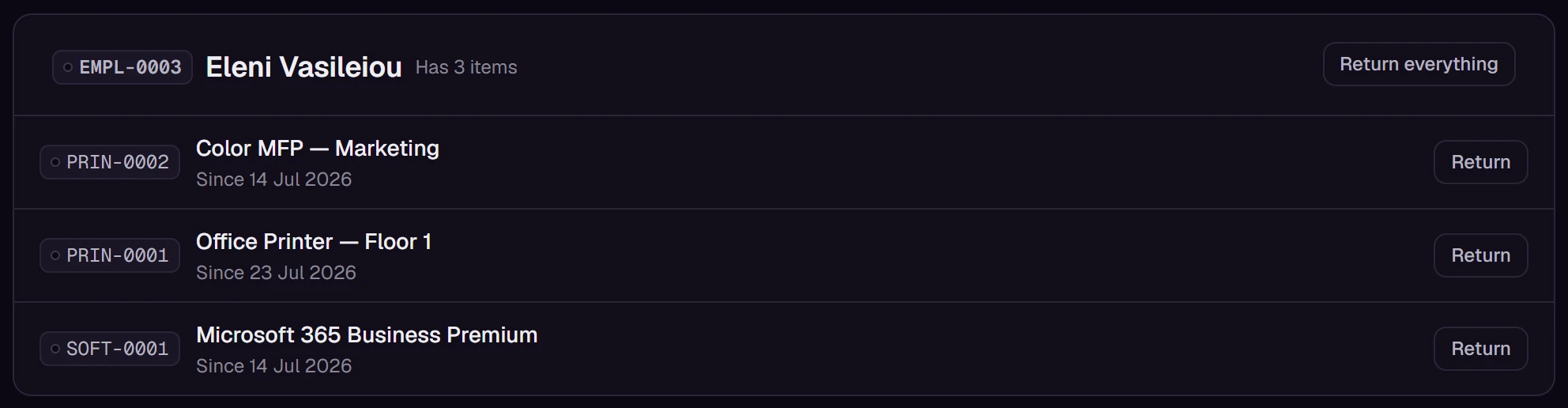
Who holds what, and since when.
Each hand-over is a dated span with a name on it, never an overwritten field. When someone leaves, one action returns everything they hold.

Write one sentence about what you run. TagOrbit proposes the categories, alerts and screens. Keep, rename or remove anything.
€22 per user per month. Creating an account is free.
Welcome. What do we track today?
We run diggers and dumpers.
TagOrbit proposes
Example 1 of 5
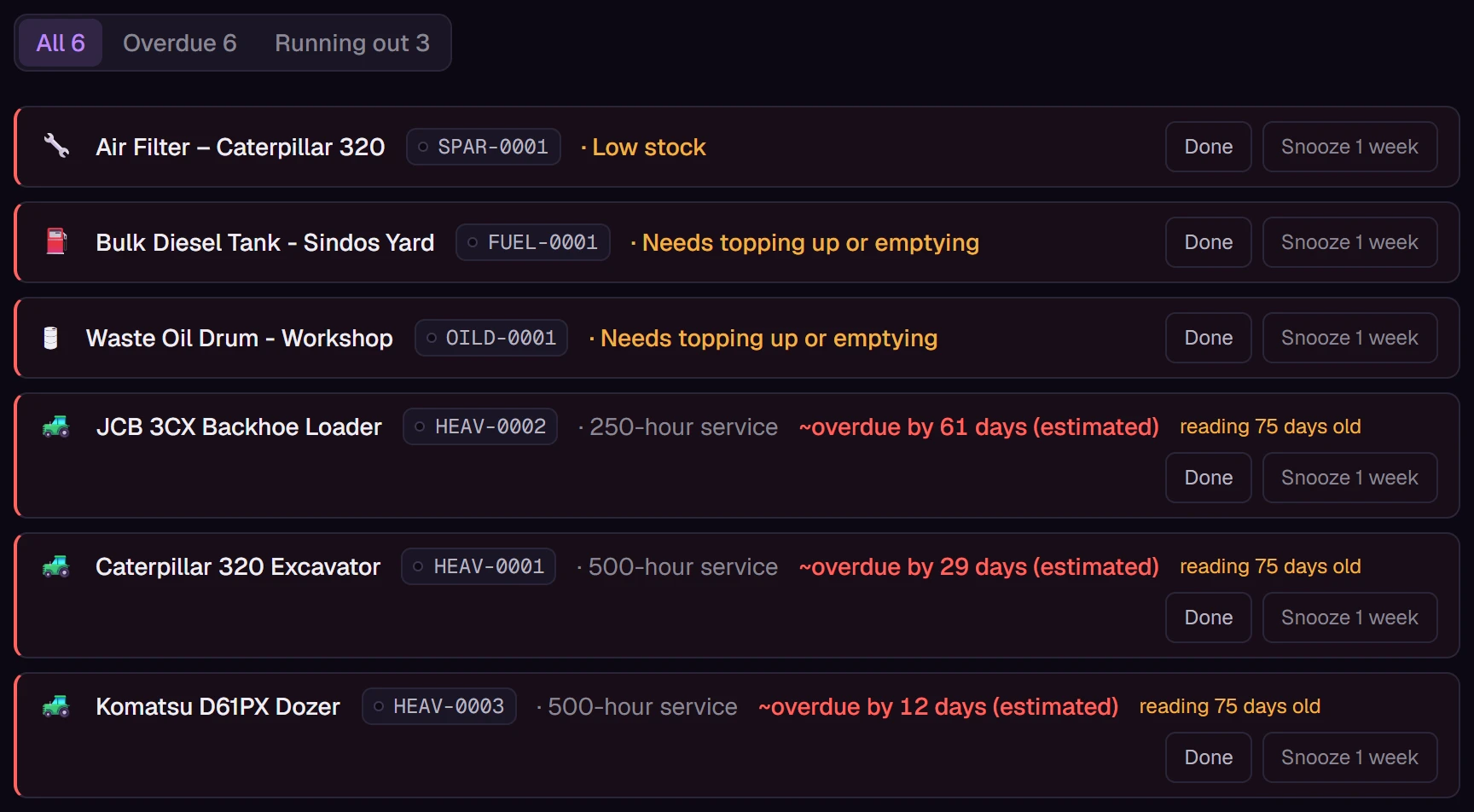
Dates, meter readings, stock levels, tank levels, overdue returns and ending bookings, ranked in one place.

Ten examples of what TagOrbit proposed for different kinds of business. Yours is whatever you type.
No template needed. Type one sentence and keep what fits. The gallery also holds setups shared by other companies. Only the structure travels, never their data.
Start freeEverything below is TagOrbit itself, captured at full size. Nothing here is a mock-up.
Each hand-over is a dated span with a name on it, never an overwritten field. When someone leaves, one action returns everything they hold.
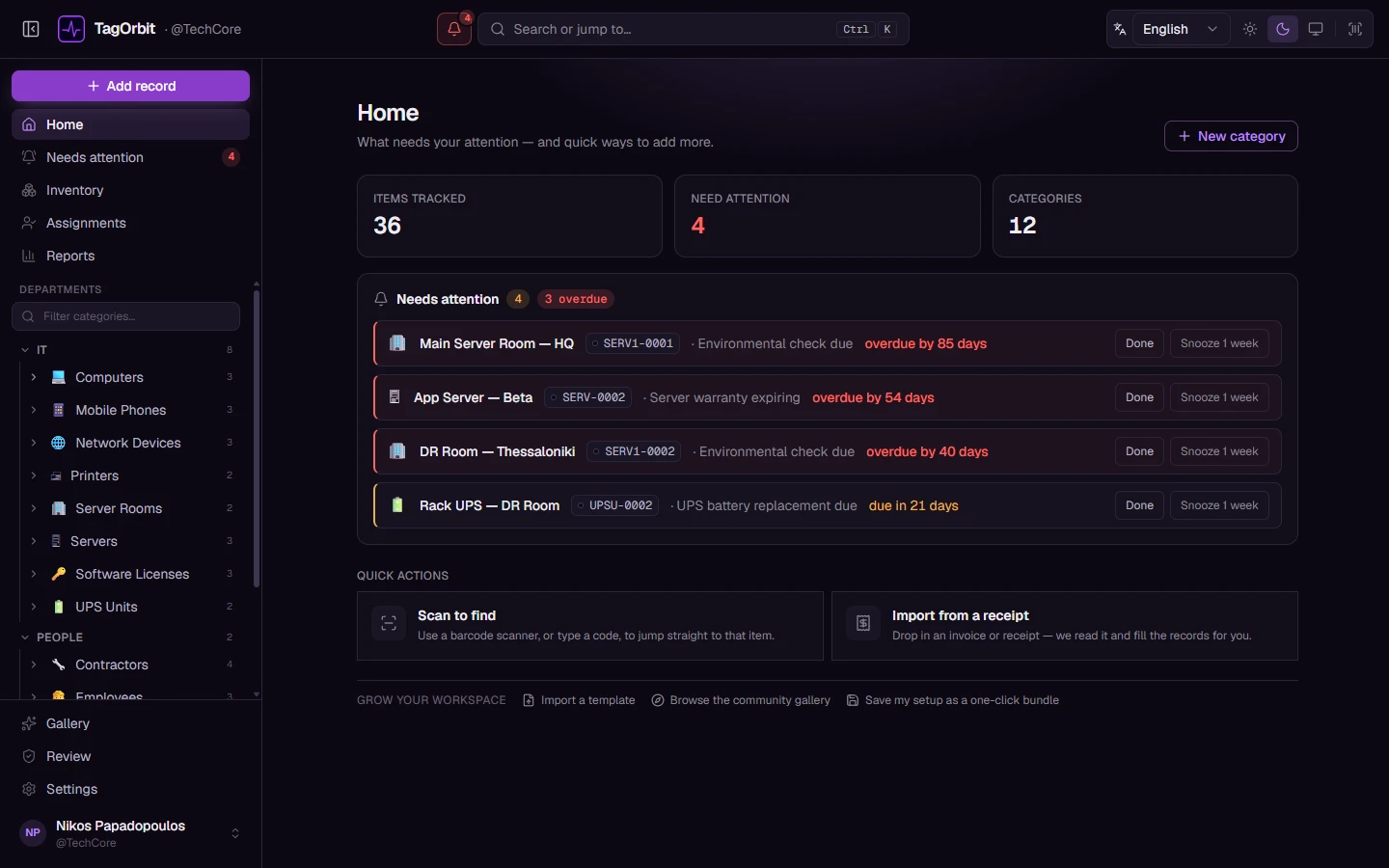
Six kinds of trigger, one ranked list, Done and Snooze on every row. An estimate says approximately and names the reading it came from.

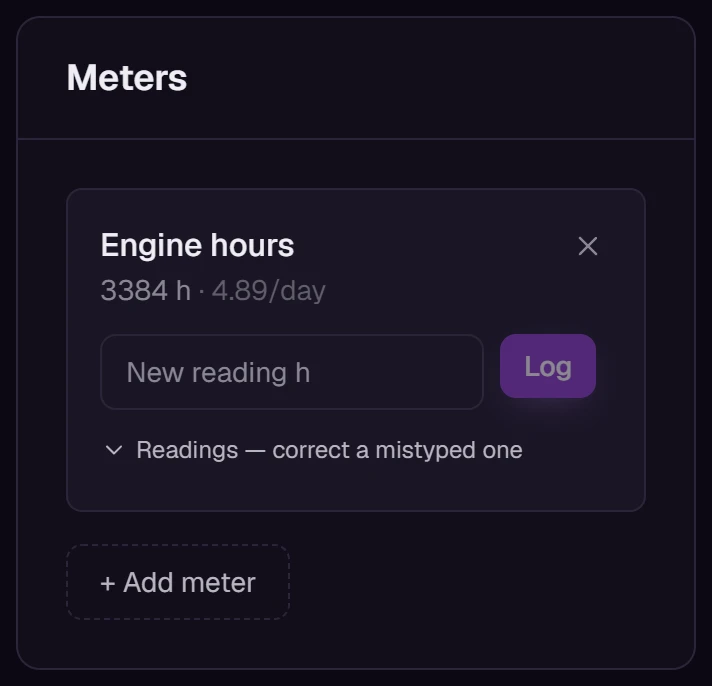
Each reading updates how fast the machine is really used. Every service date built on that pace moves with it.

Drag the level or type a number. The instruction under the reading is one an owner wrote. An over-fill is recorded, never blocked.
/ 10,000 L
62% full
Nothing to do. Next check on Friday.
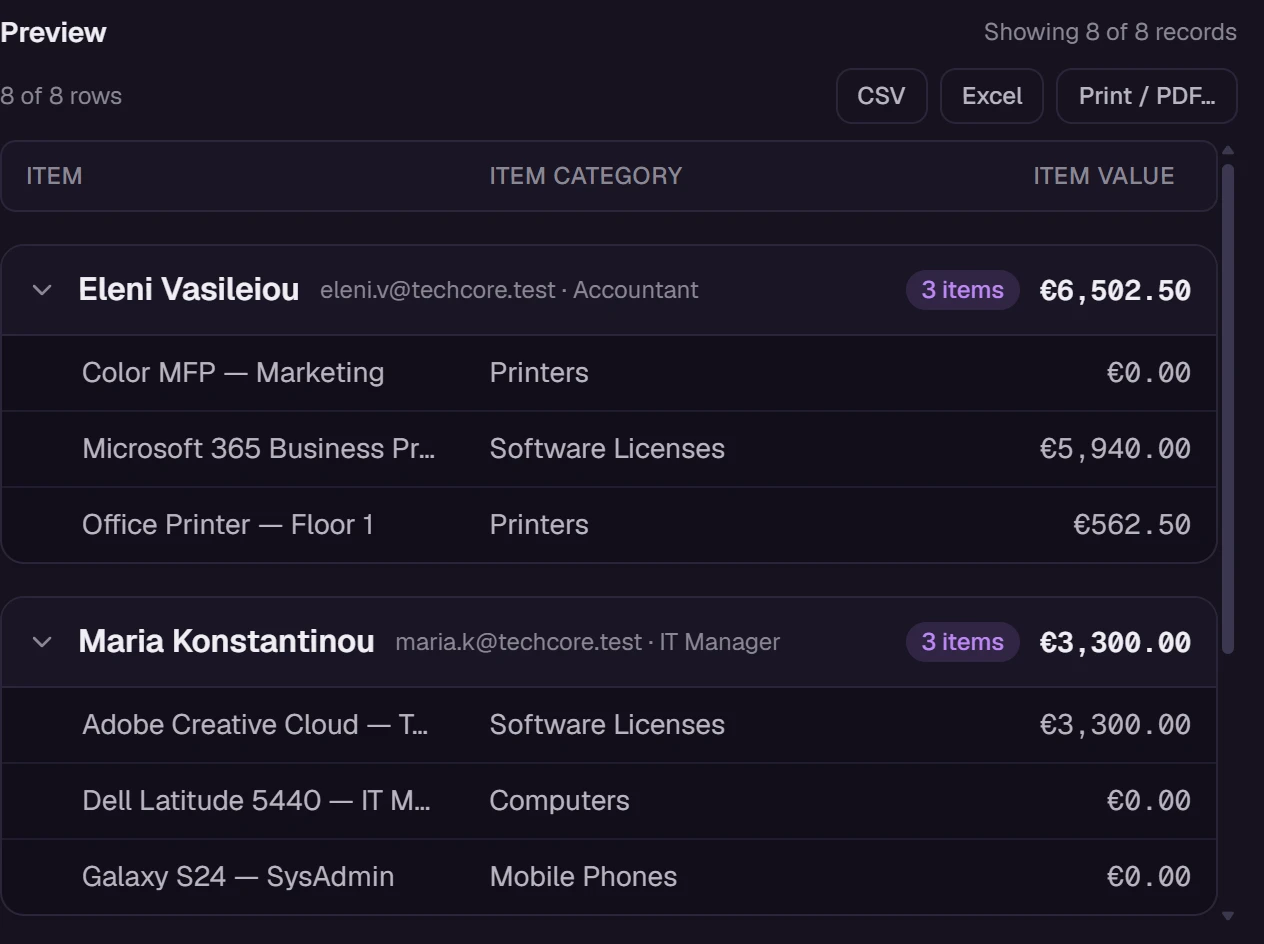
Source, columns, filters, grouping. Subtotals per group, a grand total, then CSV, Excel, PDF or straight to the printer.

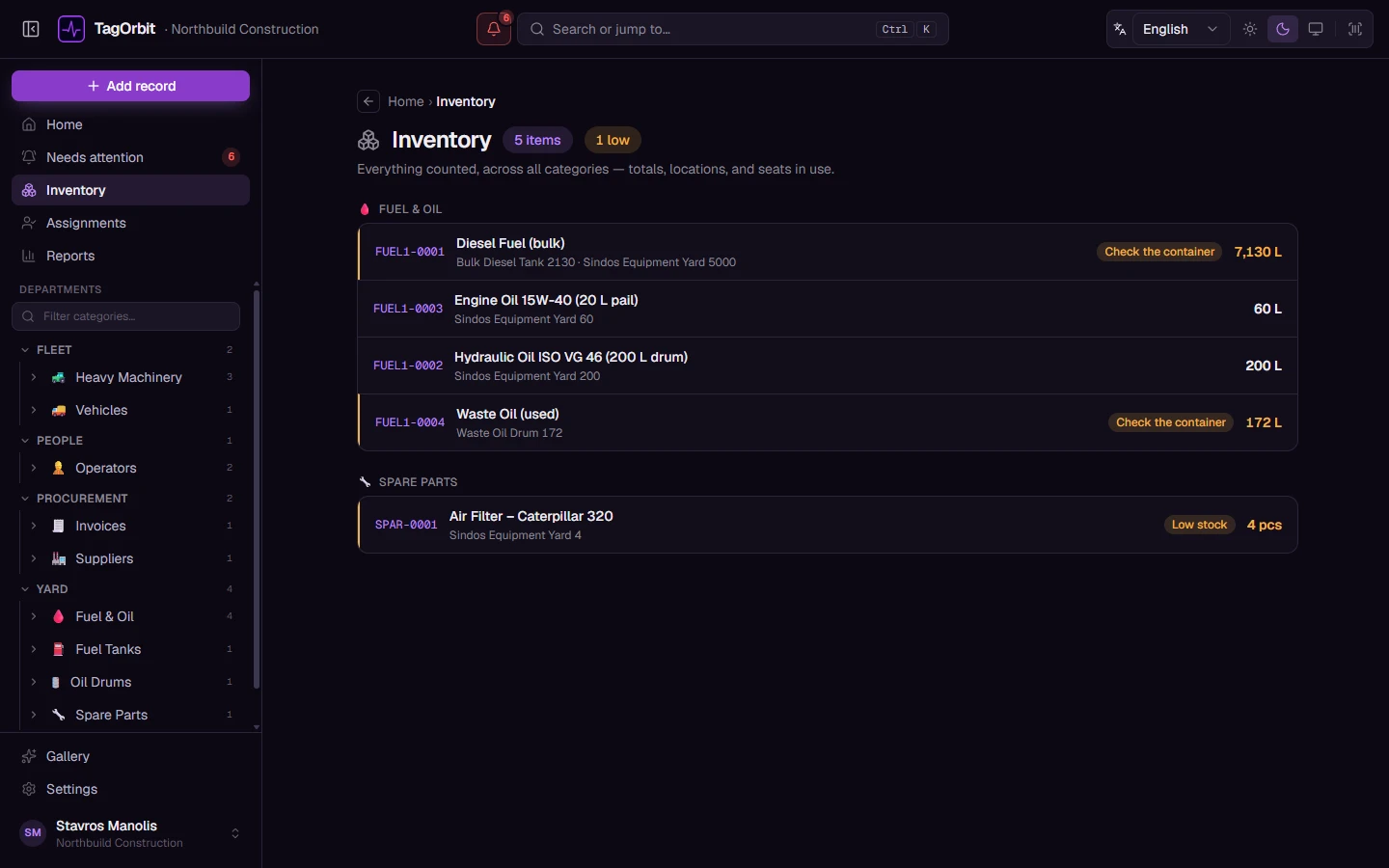
Counted stock with minimum levels you set, levels in litres, seats in use. One page for everything that runs out.

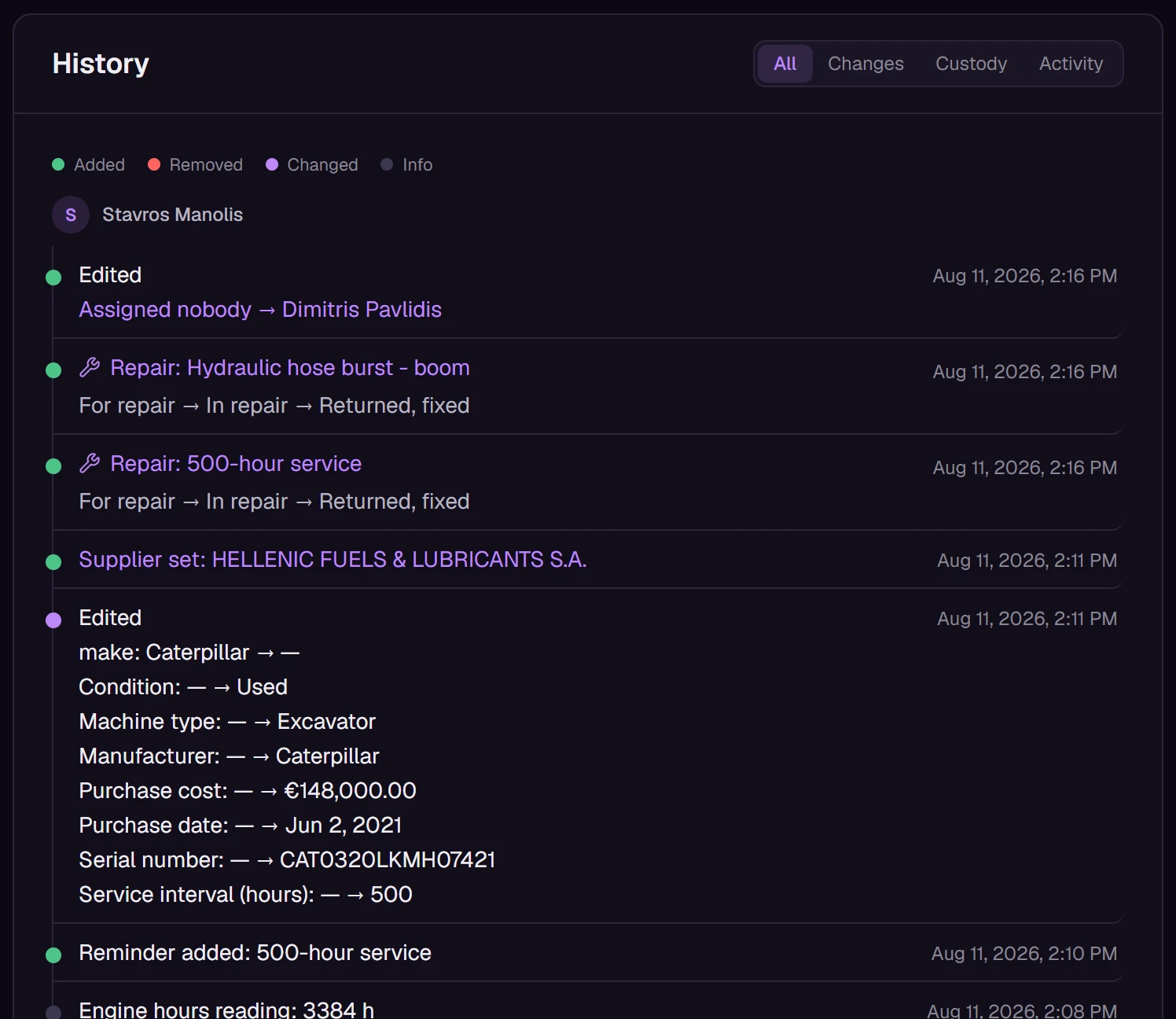
Every edit keeps its before and its after, with the name of whoever made it. A repair carries its stages, its vendor and its cost.

Most trackers hand you an asset template and a rulebook. This one asks what you run.
| Topic | A typical tracker | TagOrbit |
|---|---|---|
| Setting up | Pick the closest template, then bend your business to fit it. | Describe the business in one sentence. Your categories, fields and alerts are proposed for you. |
| What it holds | Assets. | Anything you name: machines, tanks, licences, people, bookings, kits. |
| Honesty | A forecast dressed up as a fact. | An estimate says approximately, names its meter reading and has a time backstop. |
| Custody | A holder field that forgets last year. | A dated span. One action returns everything a leaver still holds. |
| Alerts | Rules you wire up yourself. | Installing a category arms its own. Thresholds are sentences you write. |
| Templates | The vendor's. | A gallery of setups shared by companies like yours. Only the structure travels, never their data. |
| Price | Often extra charges as your number of assets grows. | One price per user. Every feature, no limit on records. |
The first row is the one to test us on. If you find another tracker that builds itself from a sentence, we would like to see it.
€22per user per month
Creating an account is free.
TagOrbit is a web application that helps a company track what it owns, who holds it, what it needs and when. It works for companies of any industry. You keep your machines, laptops, vehicles or cameras in one place. The people and companies you deal with are there too, and so are the things that happen, such as rentals, purchases and services. Everything that is due appears in one list, Needs attention. TagOrbit runs in the browser on computers, tablets and phones, so there is nothing to install.
You describe your business in one sentence, and TagOrbit proposes a setup for it.
For a construction company, for example, it proposes machines, engine hours, fuel tanks, operators, a 500-hour service and spare parts. Nothing changes until you decide. You can also start from one of 14 ready-made starter setups, or from a blueprint that another company published in the gallery.
Only what the feature needs. TagOrbit's AI features run on our server, which sends that part to Anthropic's Claude to produce the answer. That might be your one-sentence description, a receipt, the column names of an import or a report question. Nothing else is sent with it. The answer comes back as a proposal, and the AI never changes your data by itself.
TagOrbit costs €22 per user per month. Every feature is included. There is no limit on records and no extra charge per item. The price depends on how many people use TagOrbit, not on how much you track. Creating an account is free. The TagOrbit pricing page has the details.
Your data is stored in Germany, inside the European Union. The application and its database run on servers of Hetzner Online GmbH in Nuremberg. Traffic reaches the servers through Cloudflare, which runs the domain name service and an encrypted tunnel, and every connection uses HTTPS. Account e-mails, such as confirmations and invitations, are sent through Resend. AI features send only what they need to Anthropic. Backups are made every day.
How a small construction or plant-hire company can track machines, engine hours, fuel tanks, operators and spare parts, and keep services on time.
Keep laptops, servers, warranty dates and software licence seats under control, know who holds what, and get every item back when someone leaves.
Build a preventive maintenance plan people follow: service by date and by meter reading, add time limits, plan with estimated dates and track the costs.
The TagOrbit website is in six languages and the application in English and Greek. A built-in translator lets a company add any other language.
TagOrbit is open: a web application that tracks what your company owns, who holds it, what it needs and when. Creating an account is free.
Describe the business. Keep what TagOrbit proposes, or throw it away and describe it better.
Already have an account? Log in